Crushonu, the CrushOn AI app logocrushonu
Official CrushOn AI app

Download the CrushOn AI app

Crushonu is the official mobile app of CrushOn AI for AI character chat and roleplay. Get it free on Google Play, or start chatting on the web right now with no download.

Free to download · In-app purchases · Rated Teen on Google Play

QR code to download the CrushOn AI app on your phone
On a computer?Scan with your phone camera to get the app.
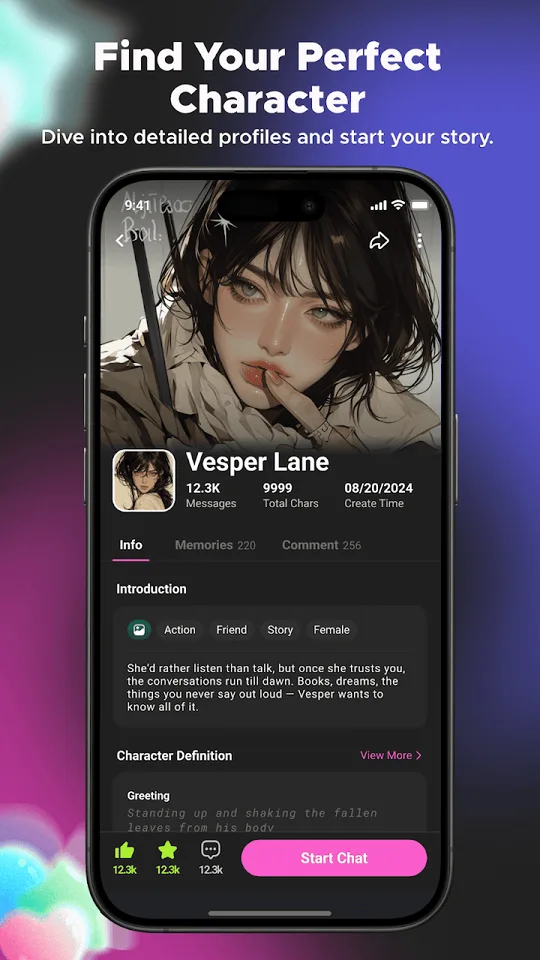
CrushOn AI app character profile screen with a Start Chat button

How to get CrushOn AI on every device

Pick your device below. Each option takes less than a minute, and the official links on this page are the safest way to get started.

CrushOn AI download for Android

The official Android app is available on Google Play, so you get automatic updates and a verified install.

  1. Tap Get it on Google Play. The official listing opens in the Play Store app.
  2. Tap Install and wait for the download to finish.
  3. Open Crushonu, sign in and pick a character to start chatting.
Open Google Play

CrushOn AI on iPhone and iPad

The iOS app is on its way to the App Store. Until then, you can use CrushOn AI in Safari and keep it one tap away.

  1. Tap Chat on the Web to open crushon.ai in Safari.
  2. Tap the Share button, then Add to Home Screen.
  3. Open it from your Home Screen like any other app.
Open CrushOn AI in Safari

CrushOn AI on PC and Mac

There is nothing to install on a computer. CrushOn AI runs in your browser, so you can chat on a big screen in seconds.

  1. Open crushon.ai in Chrome, Edge, Safari or Firefox.
  2. Sign in or create an account, then choose a character.
  3. Want the app too? Scan the QR code at the top of this page.
Chat on the web

App or web: which one is right for you?

Install the app for chatting on the go, or open the web version when you would rather skip the download.

Crushonu app (Android)Web at crushon.ai
InstallFree download from Google PlayNo download, opens in your browser
Works onAndroid phones and tabletsPC, Mac, iPhone, iPad and Android browsers
UpdatesAutomatic through Google PlayAlways the latest version when you load the page
Best forChatting on the go with a home-screen appBig screens, quick access and iPhone users today

Looking for the CrushOn AI APK? Use official sources only

The official Android version of CrushOn AI is distributed through Google Play. APK files on third-party download and mirror sites are not published by us, which means they can be outdated, modified or bundled with other software, and they will not update automatically.

  • Install from the Google Play button on this page, or use the web version if Google Play is not available to you.
  • Be careful with files labelled "MOD", "premium unlocked" or "unlimited". They are not official builds.
  • An official install never asks you to turn off device security or share your password outside the app.

What you can do in the CrushOn AI app

Crushonu turns AI chat into roleplay. Every character comes with a personality, a backstory and a scene waiting for you.

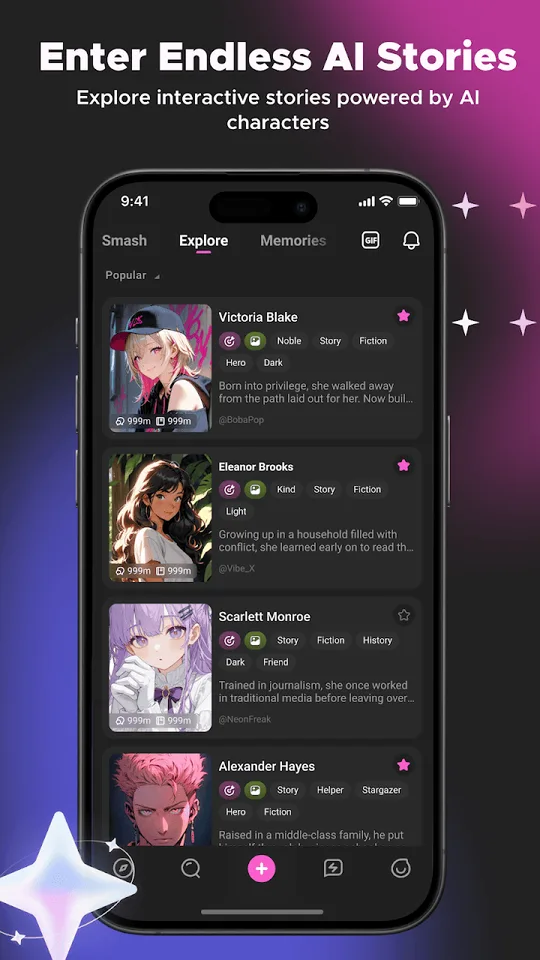
Endless AI stories

Jump into interactive stories across romance, fantasy, slice of life, anime-inspired worlds and more.

Find your character

Browse detailed profiles with tags, introductions and greetings, then tap Start Chat when one clicks.

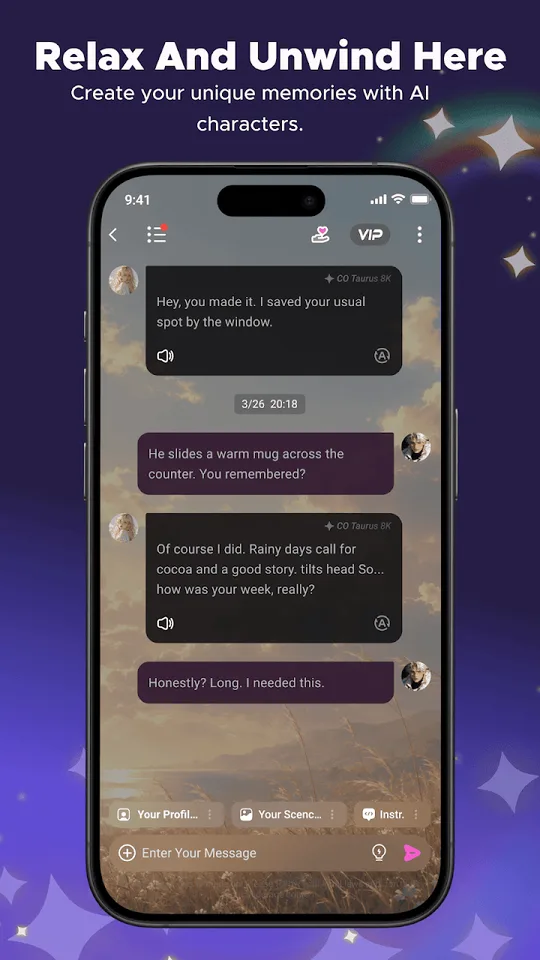
Relax and unwind

Talk through your day with a character who listens, or simply drift into a calm, cozy conversation.

Create your own

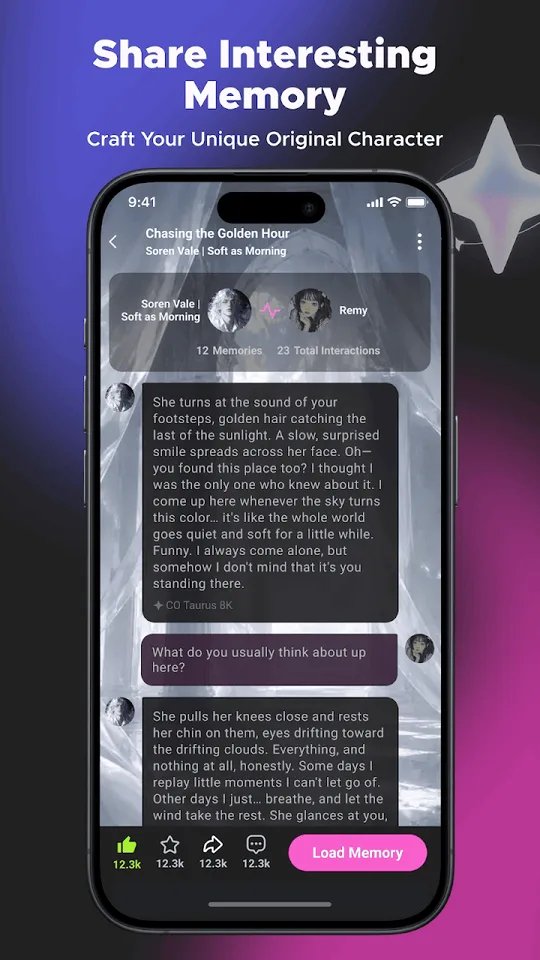
Design an original character from looks to personality, save favorite moments as memories and share them.

CrushOn AI app download FAQ

Is Crushonu the official CrushOn AI app?

Yes. Crushonu is the official mobile app of CrushOn AI. The download buttons on this page go to the official Google Play listing and to the official CrushOn AI website.

Is the CrushOn AI app free to download?

Yes. Crushonu is free to download. The app offers in-app purchases, and you can also earn free chat resources by completing simple tasks such as daily check-ins, inviting friends and creating characters.

Is there a CrushOn AI app for iPhone?

The iOS app is on its way to the App Store. Until it is available, iPhone and iPad users can chat on the web at crushon.ai in Safari and add it to the Home Screen for one-tap access.

Where can I download the CrushOn AI APK?

The official Android app is distributed through Google Play. APK files on third-party download or mirror sites are not published by us and may be outdated or modified, so install from Google Play or use the web version instead.

Can I use CrushOn AI on a PC or Mac?

Yes. You do not need to install anything on a computer. Open crushon.ai in Chrome, Edge, Safari or Firefox and start chatting, or scan the QR code on this page to get the app on your phone.

What if Google Play says the app is not available?

Availability can depend on your country and device. If the Play Store shows the app as unavailable, use the web version at crushon.ai, which works in any modern mobile or desktop browser.

Can I create my own AI character?

Yes. The character creation tools let you design a character from appearance to personality, write their greeting and story setting, and choose whether to share it or keep it private.
Get the CrushOn AI app today

Free on Google Play, coming soon to the App Store, and always available on the web.